If you're already using Maltego Monitor to keep an eye on an alias, and running separate lookups in Maltego Search to chase down other identifiers tied to that alias, you don't need to keep those as two disconnected steps. You can now pivot directly from a Monitor mention into Search, carrying the alias forward automatically instead of re-entering it.
For teams running POI investigations, this is a small change to your workflow with a real payoff: instead of noting a new mention in Monitor and then switching over to Search later (or manually copying the alias across), you can move straight from "Monitor just caught something" to "here's what else that alias is connected to" in the same pass. If your current process treats monitoring and searching as separate stages handled at separate times, this pivot is worth building into your routine — it shortens the time between a new sighting and knowing whether it's worth acting on.
Why this pivot matters
An alias on its own is a dead end if it can't be connected to other identifiers. In POI work, the real objective is usually to answer: who is behind this alias, and what other names, accounts, or contact details do they use? A new mention caught by Monitor is often the first thread — a POI reusing a handle on a new platform, for instance — but the analyst still has to manually search that handle elsewhere to see what else it's attached to. Doing that by hand means leaving the monitoring view, re-entering the alias into a separate tool, and potentially missing the moment while the trail is still fresh.
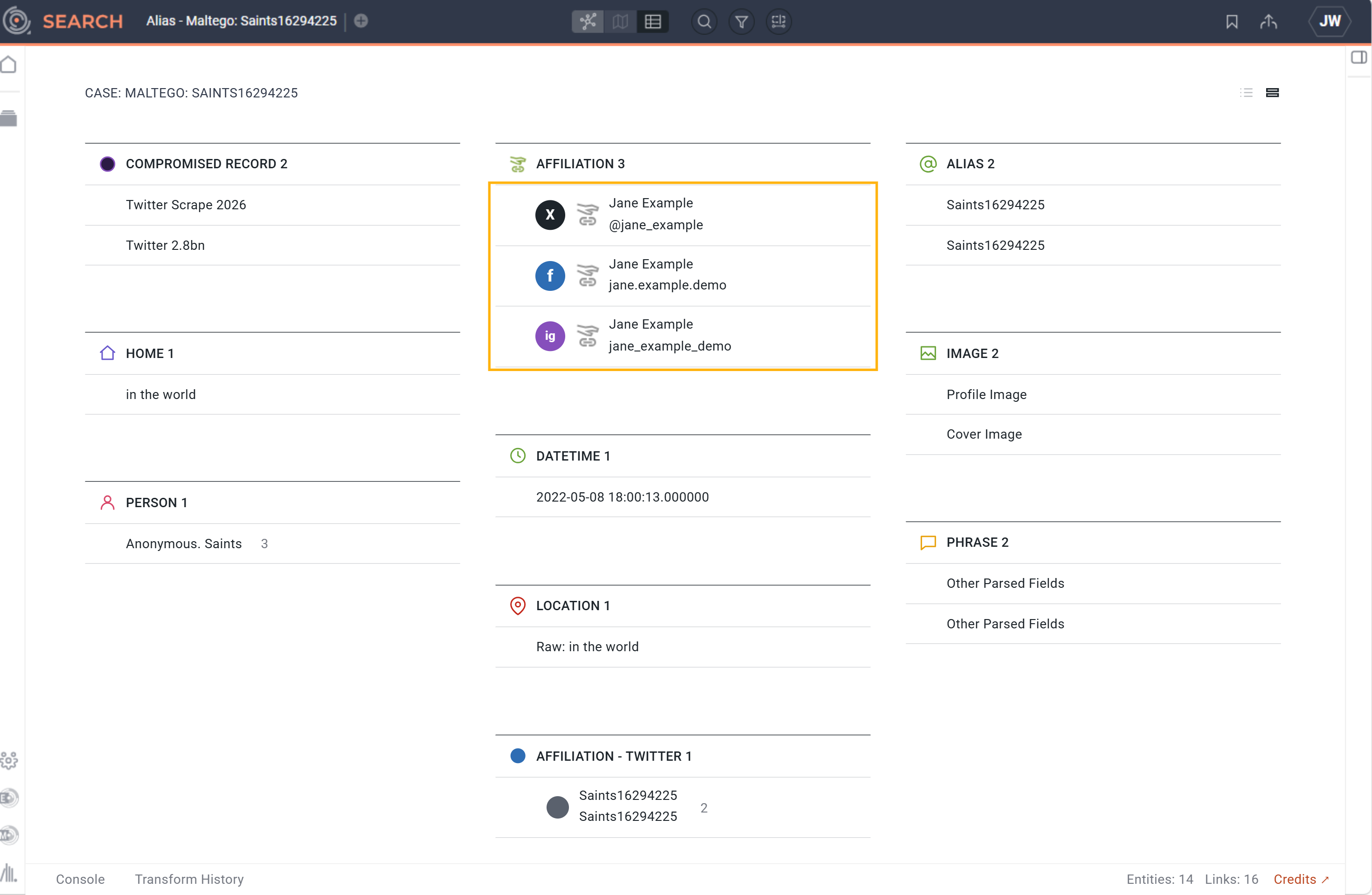
Pivoting directly from the mention into Search closes that gap. The alias carries forward exactly as captured, so there's no risk of a typo breaking the chain, and the analyst can act on a new sighting the moment it appears rather than batching lookups later. Maltego Search is useful here specifically because it checks the alias against a broad set of sources in one pass and surfaces other identifiers associated with it — giving the analyst more surface area on the POI's identity directly from the search results themselves.
How the pivot works
A monitored alias produces a new mention in Monitor, which find in the Message feed of your Monitor case.
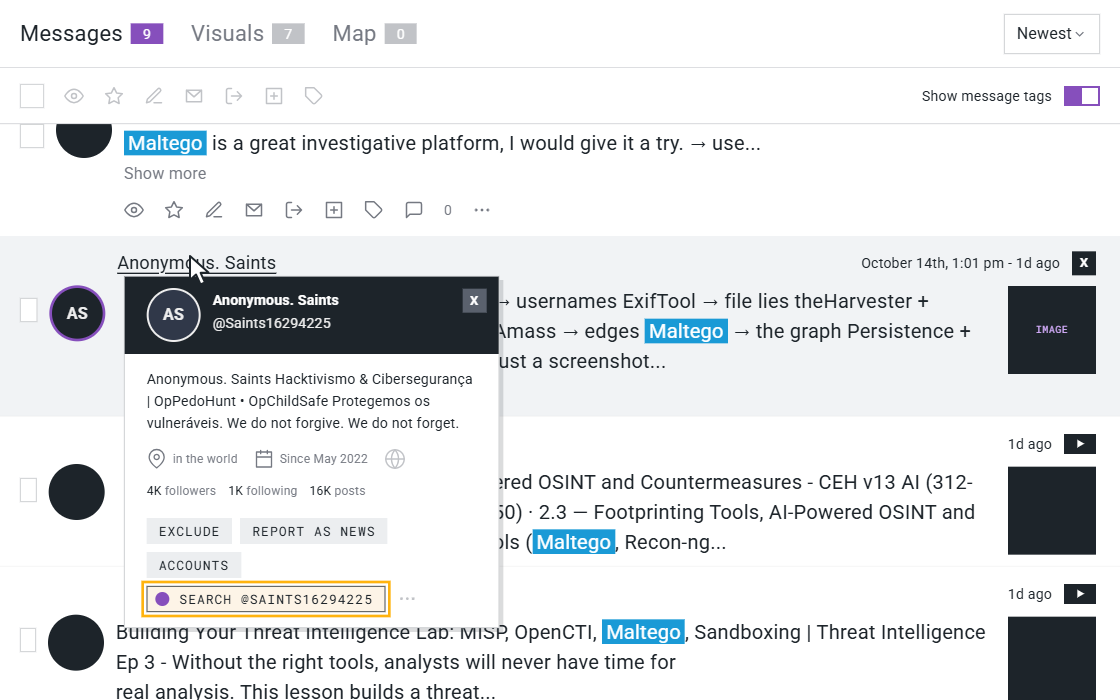
Step 1: Hover the actor name to select the option to pivot to Search.
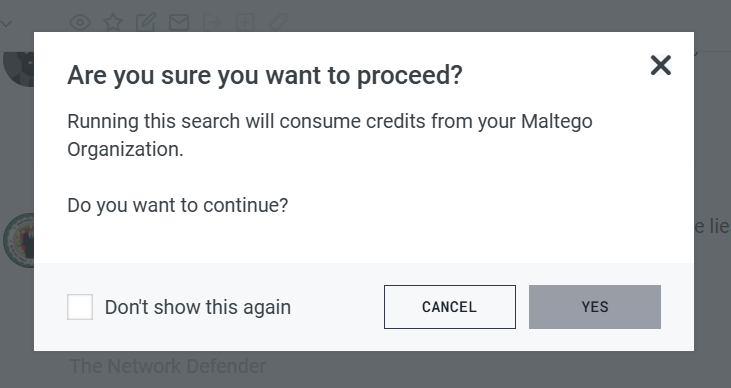
Step 2: Note that Maltego Search is drawing from your Maltego One Credits.
Step 3: Maltego Search opens with the alias pre-populated as the query.
Searches are stored in Maltego One Case Management under "Recent Searches".